What is RAID?
RAID, or Redundant Array of Independent Disks, is a storage technology that combines multiple drives into a single logical unit. Depending on the RAID level, it can improve read and write performance, mitigate against drive failure, or balance both goals. RAID is commonly used in servers, network-attached storage (NAS), and other systems where performance and uptime are important.
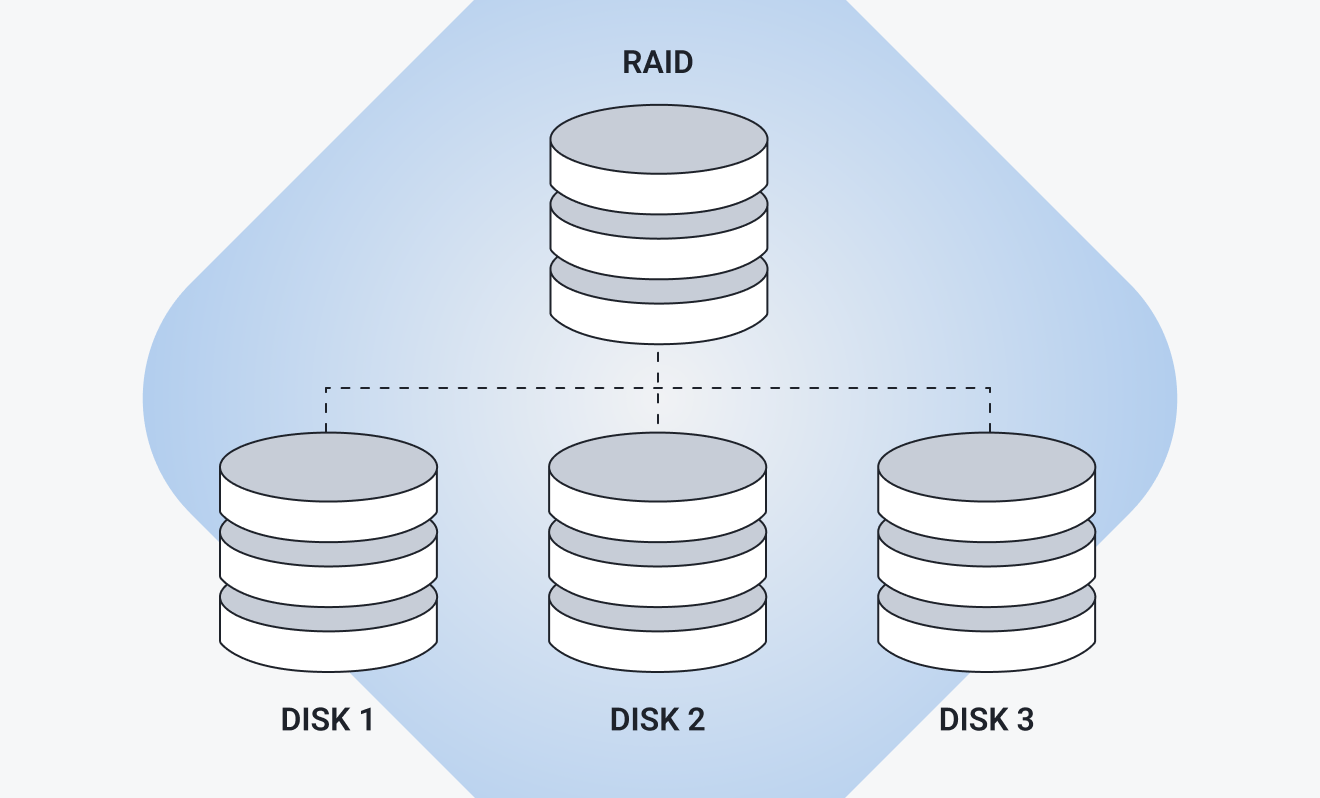
RAID works primarily through three techniques: mirroring, striping, and parity. Different RAID levels combine these techniques in different ways, allowing users to prioritize speed, usable storage capacity, or fault tolerance.
However, RAID is not a backup. A redundant RAID configuration can keep a system running when a storage drive fails, but it generally won’t protect you if files are accidentally deleted, corrupted, encrypted by ransomware, or lost when the entire system is damaged or stolen. Because changes and deletions can be replicated across the array, RAID alone provides no independent copy to restore.
Backups and snapshots serve a different purpose by keeping separate copies of your data that can be restored after data loss. In practice, organizations often use RAID and backups together: RAID helps maintain availability during drive failures, while backups provide a way to recover data when something goes wrong.
How does RAID work?
RAID works by combining two or more physical storage devices into one logical storage set. A hardware or software RAID controller then determines how data is distributed across the drives according to the RAID level being used. Most RAID configurations rely on one or more of three techniques:
-
Mirroring: Writes identical copies of data to two or more drives. If one fails, the system can continue using another copy, providing redundancy and straightforward recovery. The tradeoff is capacity: a basic two-drive mirror provides only half the drives’ combined raw storage. Read performance may improve, but writes must still reach each mirror.
-
Striping: Divides data into blocks (usually 64KB–256KB) and spreads them across multiple drives, allowing parallel reads and writes. This can significantly improve performance and use the array’s combined capacity efficiently. However, it provides no redundancy by itself. If one drive fails, part of the data is lost, potentially making the entire array unusable.
-
Parity: Stores calculated information that can reconstruct missing data if a drive fails. Depending on the RAID level, this information may be distributed across multiple drives. This provides fault tolerance while typically using storage more efficiently than mirroring, although parity calculations can reduce write performance. The number of drives and capacity devoted to parity depend on the RAID level.
RAID controllers
A RAID controller can be implemented in hardware or in software, and acts like air-traffic control for your data. It determines how data is distributed across the drives when written, and retrieves it when requested by the operating system. Depending on the RAID level, the controller also manages processes such as striping, mirroring, parity calculations, and drive-failure recovery.
In a redundant RAID array, the controller can also rebuild lost data after a failed drive is replaced. It does this automatically using data from the surviving drives, such as a mirrored copy or parity information. In many configurations, this means you don’t need to manually format or restore files to the replacement drive, although the exact process depends on the RAID implementation.
Hardware vs. software RAID
Software RAID relies on your operating system and CPU to manage the array, making it a flexible, cost-effective option that requires no dedicated controller. Hardware RAID uses a dedicated controller component instead, often providing onboard caching, more consistent performance, and vendor support. Software RAID is more common in both consumer and server systems, while hardware RAID is better suited to enterprise environments with demanding workloads.
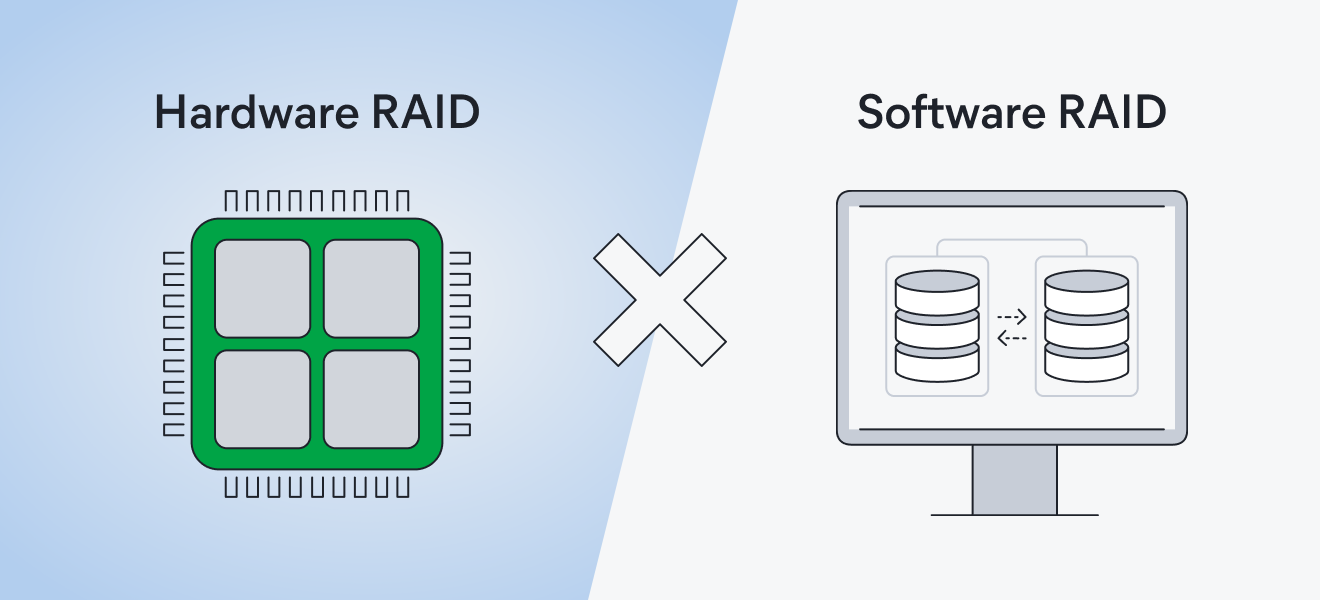
There’s also something known as firmware RAID, sometimes called FakeRAID. It can be configured through a computer’s BIOS or UEFI like hardware RAID, but it relies on system resources and software drivers rather than a dedicated RAID processor. Firmware RAID can provide a convenient way to configure an array before installing and formatting the operating system, but it typically lacks some of the performance, management, and recovery features of dedicated hardware RAID.
Exploring RAID levels
RAID comes in several levels, and each uses different combinations of striping, mirroring, and parity to balance performance, usable capacity, and fault tolerance. The right RAID level depends on factors such as how many drives you have, how much storage you need, and how important performance and protection against drive failure are.
Standard RAID levels
The traditional RAID levels range from RAID 0 through RAID 6, although RAID 2, 3, and 4 are rarely used in modern systems. Here’s how they compare:
-
RAID 0: Stripes data across two or more drives, allowing them to read and write data in parallel for better performance and full use of their combined capacity. However, RAID 0 provides no fault tolerance. If any drive fails, data across the array is generally lost.
-
RAID 1: Mirrors the same data across two or more drives, providing strong fault tolerance at the expense of usable capacity. With two equal-sized drives, for example, only half of the combined capacity is usable. If one drive fails, the mirrored copy remains available.
-
RAID 2: An obsolete RAID level that stripes data at the bit level and uses additional drives to store Hamming-code error correction. Modern drives have their own error-correction capabilities, so RAID 2 is no longer used in practice.
-
RAID 3: Stripes data across at least three drives and uses a dedicated drive for parity information. It can tolerate one drive failure, but the dedicated parity drive can become a performance bottleneck. RAID 3 is rarely used today.
-
RAID 4: Similar to RAID 3, but stripes data at the block level while retaining a dedicated parity drive. This makes some workloads more efficient, but the parity drive can still create a write bottleneck. RAID 4 has largely been superseded by RAID 5.
-
RAID 5: Requires at least three drives and uses block-level striping with parity distributed across the array. It can tolerate one drive failure while providing more usable capacity than mirroring. However, parity calculations can reduce write performance, and a second drive failure during a rebuild can result in data loss.
-
RAID 6: Requires at least four drives and works similarly to RAID 5 but stores two sets of distributed parity information. This allows the array to tolerate up to two simultaneous drive failures. The trade-offs are less usable capacity and slower writes than RAID 5 due to the additional parity calculations.
Nested RAID levels
Nested RAID combines two RAID levels to achieve a different balance of performance, capacity, and fault tolerance. These configurations typically group drives using one RAID level, then apply another RAID level across those groups. Common nested RAID levels include:
-
RAID 10: Combines RAID 1 mirroring with RAID 0 striping and requires at least four drives. Data is striped across mirrored pairs, providing strong read/write performance and protection against drive failure. Half of the array’s raw capacity is used for mirroring. RAID 10 can survive multiple drive failures as long as both drives in the same mirrored pair don’t fail.
-
RAID 01: Uses the same components as RAID 10 but reverses their arrangement, creating mirrored copies of striped RAID 0 sets. It requires at least four drives and provides similar usable capacity and performance. However, RAID 01 generally offers less fault tolerance after a drive fails, so RAID 10 is usually preferred.
-
RAID 50: Stripes data across two or more RAID 5 groups and requires at least six drives. It combines RAID 5’s capacity efficiency with improved performance and fault tolerance across multiple groups. RAID 50 can survive one drive failure in each RAID 5 group, but two failures within the same group will cause that group — and therefore the array — to fail.
-
RAID 60: Stripes data across two or more RAID 6 groups and requires at least eight drives. Each group can tolerate up to two drive failures, providing greater fault tolerance than RAID 50. However, the additional parity information reduces usable capacity and can increase write overhead.
Non-standard RAID levels
You may also encounter storage configurations that use RAID principles but don’t fit neatly into the traditional RAID levels. Some are proprietary technologies developed by specific vendors, while others are software-defined implementations that add features or flexibility beyond conventional RAID.
Common examples include:
-
RAID-Z: Used by the ZFS file system, RAID-Z combines data and parity across multiple drives while adding features designed to protect data integrity. RAID-Z1, RAID-Z2, and RAID-Z3 can tolerate one, two, or three drive failures, respectively.
-
Synology Hybrid RAID (SHR): Synology’s RAID management system is designed to simplify storage configuration and expansion, particularly when using drives of different sizes. Depending on the configuration, SHR can provide one- or two-drive fault tolerance while making efficient use of available capacity.
-
Linux MD RAID 10: Linux’s software RAID implementation supports RAID 10-style configurations with additional control over how data copies are arranged across drives. Different layouts can be optimized for particular performance and storage requirements.
-
Windows Storage Spaces: Microsoft’s software-defined storage technology can combine multiple drives into storage pools and provide resiliency through layouts such as two-way or three-way mirroring and parity. Although similar to RAID, Storage Spaces uses its own approach to managing drives and protecting data.
Other technologies, such as ZFS, HDFS erasure coding, and VMware vSAN, also use techniques such as mirroring, parity, or erasure coding to provide storage resiliency. However, they’re better understood as broader storage systems rather than additional RAID levels.
Benefits and limitations of RAID
RAID can improve storage performance, availability, and fault tolerance, depending on the configuration. Striping can increase read and write speeds, while mirroring and parity can keep certain RAID arrays operational after one or more drives fail. This added resilience is particularly valuable for servers, databases, and other systems where downtime can be costly.
However, RAID comes with trade-offs. Redundant configurations require additional drives, reducing usable capacity and increasing costs. Rebuilding an array after a drive failure can also take time, degrade performance, and place additional strain on the remaining drives. And because RAID mirrors or distributes data across the array, it doesn’t create an independent copy that can protect against accidental deletion, corruption, malware, or other data-loss events.
Ultimately, the right RAID configuration depends on your priorities for performance, capacity, cost, and fault tolerance. RAID can make storage more resilient to hardware failure, but it should complement — not replace — regular backups and appropriate cybersecurity measures.
RAID and cybersecurity
RAID can strengthen an organization’s resilience by helping keep data and services available when storage drives fail. While availability is an important element of information security, RAID isn’t a cybersecurity tool: it doesn’t detect threats, prevent unauthorized access, or protect against malware and other cyberattacks.
For example, if ransomware encrypts files on a RAID array, it may mirror or distribute encrypted data across the array. RAID also can’t protect against accidental deletion, theft, fire, flooding, or other incidents that affect the entire storage system.
For broader protection, combine RAID with independent backups and enterprise cybersecurity software, such as endpoint protection. Together, these measures can help protect data, reduce downtime, and support business continuity.
Choosing the right RAID level
Choosing the right RAID level depends on what you prioritize: performance, usable capacity, fault tolerance, cost, or some balance of these factors. The number of drives available and the importance of the data you’re storing should also shape your decision.
As a general guide, RAID 1 is a practical choice for a two-drive setup when redundancy is the priority. With four or more drives, RAID 10 combines strong performance with redundancy but sacrifices more usable capacity. RAID 6 prioritizes capacity efficiency and fault tolerance by allowing two drives to fail, although parity calculations can reduce write performance.
Ultimately, choose a RAID level based on your workload, hardware, budget, and tolerance for downtime or drive failure. And remember that RAID is only one part of keeping data available: Whatever level you choose, maintain separate backups and appropriate cybersecurity protections.
Protect your data with AVG Internet Security Business Edition
RAID can help keep your business running, but it is not a security solution. It will not stop ransomware, malware, or other online threats that can still put your data at risk. For stronger protection, pair your hardware setup with trusted enterprise security software designed to defend businesses before damage is done.
AVG Internet Security Business Edition helps proactively protect your data and devices from cyber threats, supporting a more resilient security posture across your business. Download it today and add an essential layer of protection to your setup.



.png)
.png)