Signs someone has blocked your number
There are several ways to tell if someone has blocked your number, including calls going straight to voicemail, texts not delivering, being blocked on social media, and being able to get through from another number.
But don’t panic just yet if one of those things is happening to you. Consider other factors too, such as a weak phone signal or your phone not working properly — either through physical damage or as the result of being hacked.
If you’re blocked, this doesn’t necessarily mean that the person you’re trying to contact did so intentionally. If they accidentally deleted your number and have their phone set to ignore or block unknown callers, you may not get through.
Here are the easiest ways to tell if someone has blocked you on their phone:
1. Calls go to voicemail
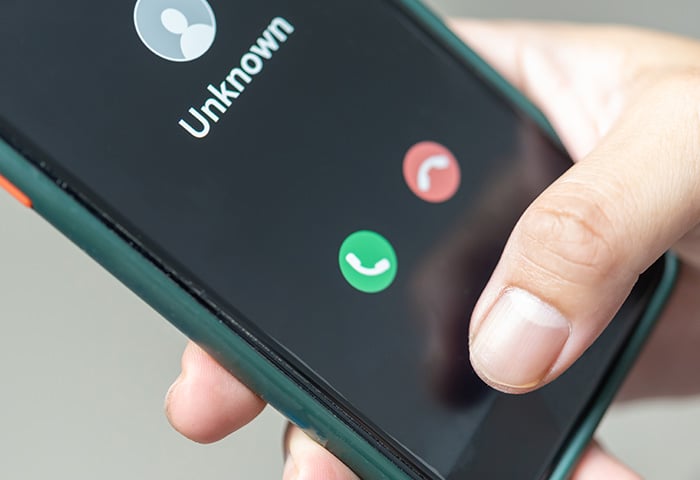
One of the quickest ways to tell if you’ve been blocked is to call the person you're trying to reach. If the call rings once and then goes to voicemail, this may mean you’re blocked.
Your call may also go to voicemail after one ring if their phone is switched off, dead, or set to Do Not Disturb mode. Additionally, the recipient may have simply manually rejected your phone call quickly if they’re not available to speak.
2. iMessage won’t deliver on iPhone
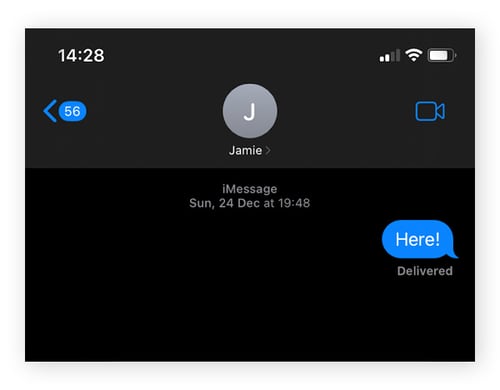
If you have an iPhone, the quickest way to tell if someone has blocked your number is by sending a text. iMessage includes delivery statuses and read receipts, so you can see whether your message went through. If your texts consistently show no delivery, it may be a sign you’ve been blocked.
If your message goes through, you’ll see Delivered beneath it. If it hasn’t been delivered — whether due to being blocked or simply because of issues like poor reception — it will show Not Delivered. In some cases, if iMessage is unavailable or you’ve been blocked, the message may also appear in a green bubble instead of blue, meaning it was sent as a regular SMS instead of an iMessage.
If you’re using SMS on an iPhone, you won’t see delivery confirmations, so you won’t be able to tell if a message has been delivered, blocked, or ignored. However, if a message fails to send due to signal issues, you’ll get a pop-up notification. When you check the failed text, you’ll see a red exclamation mark with Not Delivered displayed underneath it.

Note:
While it is possible to turn off read receipts for iMessage, it’s an opt-in feature. If you suspect you’ve been blocked because your iMessages aren’t being delivered, it’s best to verify another way.
3. Text messages will not deliver
One major sign that your number may have been blocked is if your text messages are no longer delivered to the recipient.
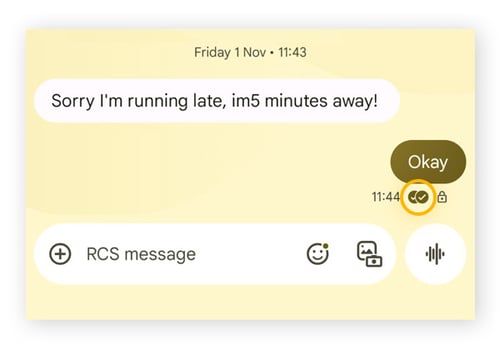
Delivery indicators can vary depending on the Android device you're using. On a Google Pixel, you can go to Settings > Advanced and toggle on SMS delivery reports. A successful delivery will show two checkmarks in a hollow circle underneath the text. Once the recipient has read your text, the circles will be filled in. Other Android models may show Delivered.
Secure messaging apps like WhatsApp typically show delivery and read receipts. A delivered message is indicated by two grey checkmarks, while two blue checkmarks mean the recipient has read it. If only one grey checkmark appears, it means the message wasn’t delivered — possibly because you’ve been blocked. If two grey checkmarks appear but never turn blue, the recipient may have turned off read receipts.
For Telegram, a delivered message displays one checkmark; two checkmarks indicate the message has been read. And on Signal, a delivered message shows two checkmarks in a hollow circle underneath the text. Once the recipient has read your text, the circles will be filled in — unless read receipts have been turned off.
4. You’re blocked on other social media platforms
It’s worth checking any social media platforms where you and the person you’re trying to reach are connected. If you can’t get through to your contact’s phone and you’re blocked from accessing their social media profiles, then there’s a high chance your number has been blocked.
You can see if you're blocked on social media in the following ways:
-
Instagram: If your contact blocked you, their profile doesn’t appear when you search for it.
-
X (formerly Twitter): If someone didn’t simply delete their X account, you’ll see a message that says “@username blocked you” on their profile.
-
Facebook Messenger: Try searching for their profile on Facebook Messenger. If nothing comes up, you’re likely blocked or they just deleted their Facebook account. This also works on the main Facebook app.
-
TikTok: If they previously followed you, they won’t appear in your followers list if they blocked you. If you attempt to follow them again, a message appears saying, “You can't follow this account due to their user privacy settings.”
-
Snapchat: The user you’re looking for no longer appears when you search for them.
5. You can no longer see their profile image
If your number has been blocked, you’ll no longer see the person’s profile image on services like WhatsApp. Instead, a grey and white placeholder icon will appear. Their “last seen” status and “about” information will also no longer be visible. The same applies to iMessage and the Contacts app; the user’s contact photo and status updates will no longer be displayed.
Of course, a blank profile icon doesn’t always mean you’ve been blocked. It may simply mean the user hasn’t added a profile picture.
6. You can no longer see them in group chats
If someone in a group chat has blocked you, you won’t see any new messages they send, and you won’t be able to add or remove them from the group. If the person isn’t usually active, their silence may not mean much. But if they’re normally engaged and suddenly stop contributing, it can be a sign they’ve blocked you.
7. Certain shared features are no longer available
If you’re blocked, then any shared features you previously had with the person who blocked you will no longer be available. For example, if they previously shared their location with you via a service like iMessage or Find My, you’ll no longer be able to see them. The same goes for a number of other shared services, such as calendars and notes, depending on the platforms they blocked you on.
8. Suggested contact won’t appear on Android
Some Android phones automatically suggest potential contacts for you to add based on your interactions with people on Gmail or other Google services. If the contact information doesn’t appear, it may indicate you've been blocked. However, it could also mean the number was never saved or synced, so you should also try other methods to check if you’ve been blocked.
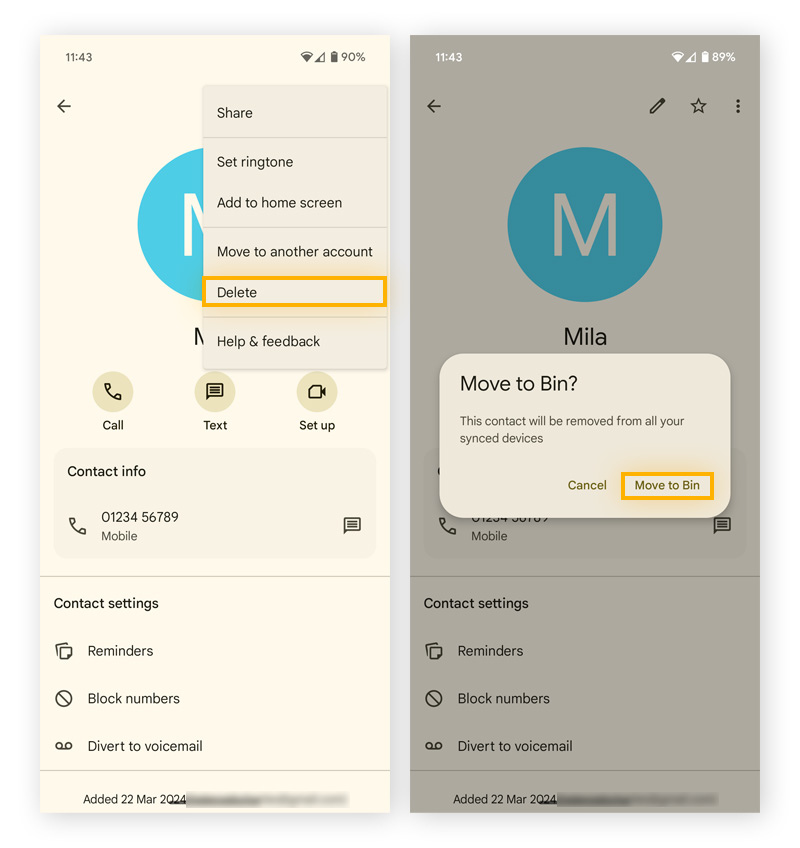
Here’s how to tell if you may have been blocked using the suggested contact method:
-
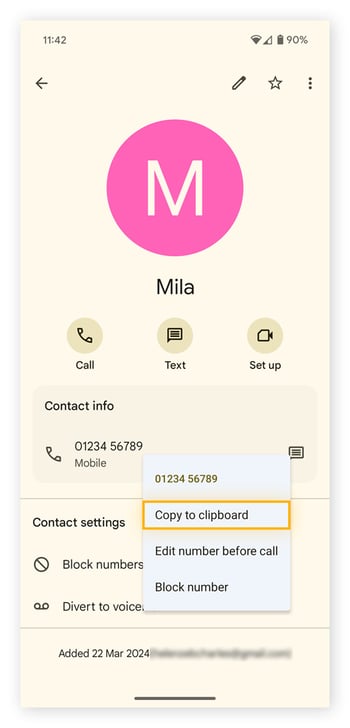
Go to Contacts. Find the person you suspect blocked you and copy their number to your clipboard.
-
Tap the three dots in the top right-hand corner, then tap Delete > Move to Bin.
-
Close and reopen the Contacts app. Tap the Search icon and paste the number from your clipboard. If you're blocked, their contact information won’t appear.
9. You can contact them on another device
Try contacting the person from another device or phone number. If the call or message goes through while your original number can’t get through, there’s a strong chance you’ve been blocked.
That said, delivery issues can sometimes be caused by technical factors unrelated to blocking, such as mobile network problems, no internet connection, device settings, or issues with synced accounts. For example, iPhone users sharing an Apple ID across multiple devices may encounter confusing messaging behavior if the devices aren’t configured correctly.
How can I call someone if I'm blocked?
If you suspect your number was blocked by mistake, try calling the person from another device. You could also reach out through a different channel, like email or regular mail. In some cases, asking a mutual friend may help clarify whether the block was intentional or accidental.
Note:
If your number was blocked on purpose,
respect the person’s wishes. Not only is it
good netiquette, but repeated attempts to contact someone against their wishes can have legal consequences
Be patient. If the person you’re attempting to contact wishes to speak to you, they’ll do so on their terms.
Boost your online safety with AVG Free Antivirus
Having your phone number blocked can be an upsetting experience, especially when the reason isn’t clear. In some cases, it may not be personal at all; the other person could simply be taking extra steps to protect their privacy.
Staying safe and secure in the digital world is important for everyone. Tools like AVG Antivirus Free, which includes anti-spyware, anti-spam, and protection against hackers, are designed to help support your device’s security and give you greater peace of mind as you navigate online life. Download award-winning protection for free today.



.png)
.png)