Why you should delete yourself from the internet
Your personal data on the internet doesn’t fade with time — it lingers online in countless databases, accounts, and search results. And the more information scattered across the internet, the easier it becomes for scammers, data brokers, or identity thieves to find and misuse it.
That’s why taking steps to delete yourself from the internet matters. Reducing those digital “breadcrumbs” that lead back to you limits how much of your life can be collected, sold, or exploited, giving you more control over your privacy and security.
It’s important to remember that you can’t completely erase your personal information from the internet — but you can reduce your exposure by clearing it from the web’s most visible and easily accessible places.
If cybercriminals discover and exploit your data, you could be:
-
Exposed to identity theft: Armed with just your full name, date of birth, and address — easily scraped from profiles or gifted via data leaks — criminals can steal your identity to drain your bank account, apply for a credit card, or make online purchases.
-
Targeted more easily by scammers: Exposed personal data can power all types of online scams, from phishing emails that look uncannily genuine to fake tech support calls, and social media messages from cloned accounts.
-
More vulnerable to online harassment: Publicly available data (like your social handles, email address, or even your workplace) can make you a target for doxxing or cyberstalking.
It’s simple: The fewer digital traces you leave, the less likely you are to be exploited.
Understanding your digital footprint
You leave an often-invisible but inevitable trail whenever you go online. This is called a digital footprint, and it accompanies you relentlessly — from every social post and comment to the hidden data websites collect about you.
What is a digital footprint?
A digital footprint (or electronic footprint) has two parts. The first is your active footprint, which is the one you create intentionally when sharing photos, filling out forms, or when others share information about you. The second is your passive footprint, which is like a shadow of a footprint that forms quietly through tracking cookies, location data, and browsing habits.
Together, these actions build a digital profile of you. That mention on your company’s homepage? The restaurant review you left? Your cousin tagging you in their wedding photos? The digital “picture” of you grows larger and more detailed with every click, search, post, scroll… like an artist adding evermore dabs of paint with a fine brush.
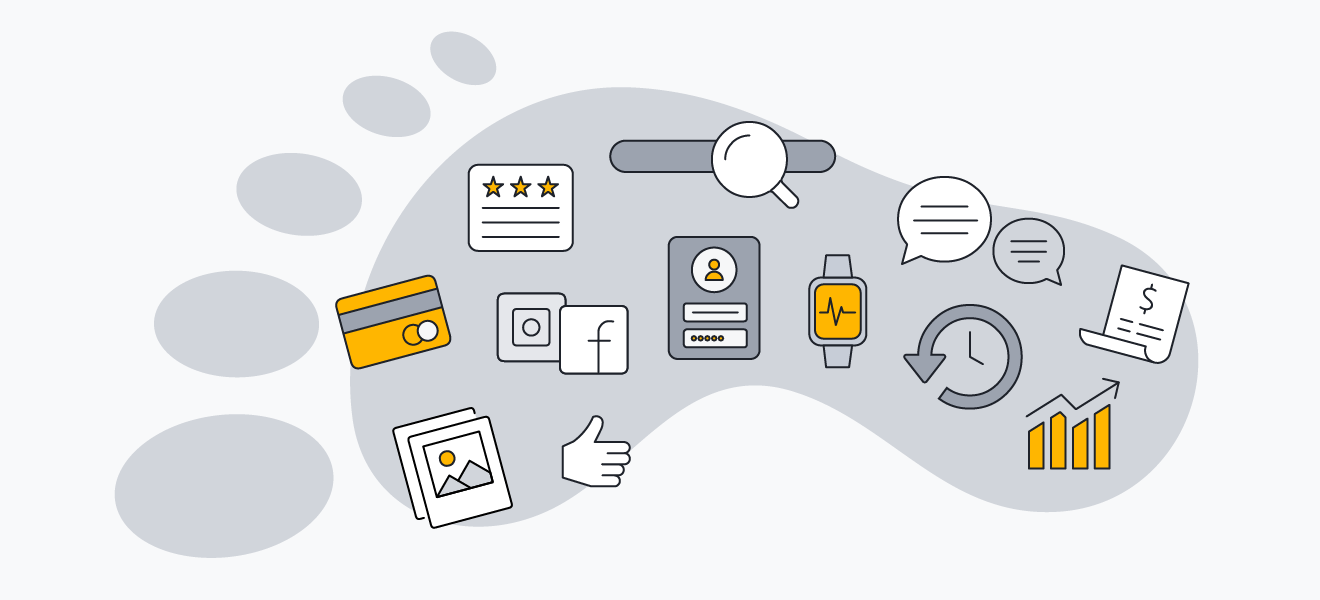 Your digital footprint includes all the information you share online.
Types of personal information exposed online
You might be surprised by how much of your life is already floating around online. As well as social media profiles, old forum posts, and shopping accounts, there’s a wealth of public records available — birth, marriages, property details, and even driver’s license information in some jurisdictions. Then consider data broker listings, which often compile your age, address, contact details, and purchasing habits.
Individually, each piece of information may seem harmless. Together, they form a detailed portrait of your interests, habits, lifestyle, family connections, and even political leanings. This mosaic makes up your entire digital identity.
That’s why your data is practically currency to third parties like advertisers and data brokers, who collect this information through cookies, tracking pixels, and public databases. They use it to build marketing profiles, target ads, or even sell your data on to other companies. If you’re unlucky, that same information can fall into the hands of cybercriminals who spin it into scams.
Step-by-step guide to deleting yourself from the internet
Want to limit who can access and profit from your online activities by removing your data from the internet? Here’s a detailed guide to erasing your digital shadow.
 Conduct a digital footprint audit
This gives you a clear picture of what’s available about you and where it lives online. Start by Googling your full name. Use quotation marks for exact matches (e.g.: “Jane Doe”). You’ll probably find old profiles, mentions, and personal details that you forgot existed — like the time you shared your postcode when selling a bunk bed on Craigslist!
Then check other search engines like Bing and DuckDuckGo, as they can surface different results. Repeat the search using your email address, phone number, and any old usernames you’ve used. It’s also worth using tools like Have I Been Pwned to see whether your email has appeared in a data breach, and setting up Google Alerts so you’re notified when new mentions of your name or contact details appear online.
To dig deeper, use AVG BreachGuard, which scans the web for personal data exposed in public databases and data-broker listings. It even helps you identify where your information is being traded and gives you tools to request its removal, strengthening your privacy long term.
 Delete or deactivate social media accounts
For anyone wondering, “How do I delete myself?” cleaning up your social media presence is always the first place to start. Review all the platforms you’ve ever joined, and don’t forget to search for duplicate or long-forgotten profiles that may still be public: Facebook, Instagram, X (formerly Twitter), TikTok, LinkedIn, Pinterest, and older ones like Tumblr or Myspace.

Tip:
For active accounts, tighten your privacy settings and remove unnecessary personal details. Remember that every photo, post, and “about me” blurb adds to your digital profile.
Remember to download your data first if you want to keep photos, posts, or contacts. Then choose whether to deactivate or delete your accounts:
-
Deactivating an account temporarily hides your profile, posts, and interactions. You can usually return later by logging in. It’s ideal if you’re not ready to commit to a full wipe.
-
Deleting an account permanently erases your data (including photos, messages, and followers), and it can’t be restored. Only choose this option if you’re certain you'll never use the account again and don’t want it linked to your name.
Check out our helpful guides to get you started:
How to deactivate or delete your Instagram account
-
Click  More in the bottom left, and then click
  Settings.
-
Click Accounts Centre, and then select Personal details.
-
Click Account ownership and control, then choose Deactivation or deletion.
How to deactivate or delete your LinkedIn account
-
Click the  Me icon at the top of the LinkedIn homepage.
-
Select Settings & Privacy from the dropdown menu.
-
In the Account preferences section, find Account management, and click Change (next to Close account).
-
Check the reason for closing your account, and click Next.
-
Enter your account password and click Close account.
 Remove your information from data broker sites
Removing yourself from the internet is never complete without targeting data broker sites. There are four types of data brokers, and it’s helpful to understand how they work and the scale of their harvesting operations:
-
People-search companies (like BeenVerified, Spokeo, and PeopleFinder) focus on compiling extensive lists of individuals' contact details, including names and addresses. Their customers use them to perform background checks or find friends and family.
-
Financial data brokers collect data from public records and credit card providers to help companies decide if someone qualifies for a loan. Notable names include the major credit bureaus: Experian, Equifax, and TransUnion.
-
Marketing and advertising brokers, such as Acxiom, Epsilon, and Datalogix, collect and sell data (including your purchase history, geolocation, and social media “likes”) so companies can tailor ads to your interests.
-
Risk mitigation data brokers create detailed individual profiles based on personal data they find in public and private sources. They then sell these profiles to businesses trying to identify potential risks — such as your likelihood of defaulting on a loan or driving after seven pints.
To reclaim your privacy, visit each site’s opt-out page (usually found in their privacy policy or help section). You’ll often need to verify your identity and submit a formal request to remove your listing.
If this sounds tedious (and it often is), automated tools like AVG BreachGuard can help. They scan hundreds of data broker sites for your personal information and automatically send opt-out requests. It also monitors and alerts you if your data reappears.
 Request removal from search engines
Even after deleting accounts and opting out of data broker sites, traces of your personal information can still linger on hard-to-reach corners of the net. There are tools to help you digitally “dust.” Google’s results about you helps you find and request the removal of personal data — like your phone number, home address, or email — that appears directly in search results.
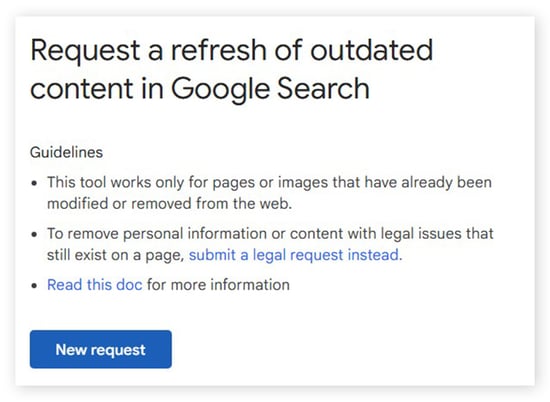
Sometimes, outdated or deleted web pages, images, and snapshots of other content can still appear in online searches. That’s why Google created its Remove Outdated Content request form. To use it, click the blue New Request button, choose why you’re using the tool, and enter the relevant URL.
Bing also offers its own Content Removal Tool. You’ll need to log in to your Bing Webmaster Tools account and enter the exact URL you found in the Bing web results. Then, in the Removal type dropdown menu, select Remove page.
While these requests can’t erase the information at its source, they can help make sensitive data much harder to find.
Challenges of completely erasing yourself from the internet
Information like property and voter registration data is legally required to be public. And technical limitations mean that cached web pages and archived data can live on long after you’ve tried to delete them.
Data brokers add another challenge. Even after you opt out, many continue to collect and refresh information, gradually rebuilding the traces you’ve tried to erase with new data that surfaces over time.
There’s no one-time fix for online privacy. Protecting your digital footprint is an ongoing habit, not a single task.
Proactive measures to help protect your privacy
Learning how to remove information from the internet isn’t about disappearing completely. It’s about using the control you do have to limit access to the online “you” and making your private details much harder to find. Update privacy settings on the accounts you still use, delete the ones you don’t, and monitor your digital footprint consistently.
Just as important is reducing what you share in the first place. A photo of you heading to the airport (a gift to would-be burglars), a “throwback” shot of moving boxes with your old address visible, or a cute video featuring your pet’s name (which also happens to be your password) can all expose more than you intend.
For deeper privacy protection, bring in some technological muscle:
You may never vanish into true digital ghosthood, but by sharing wisely and staying proactive about your privacy, you can navigate the online world far more safely and stealthily.
Protect your online privacy today
Your personal information is valuable. And the more it spreads online, the greater the risk of misuse.
AVG BreachGuard helps you take back control by identifying exposed data, limiting what data brokers can collect, and reducing your overall digital footprint. Download AVG BreachGuard now to strengthen your privacy and build a safer online presence.






 Use a
Use a