As QR codes become a routine part of everyday tasks — from payments to menus and deliveries — scammers have found ways to exploit them. Instead of sending suspicious links in messages, attackers embed those links inside QR codes, where the destination is hidden until after you scan. Understanding exactly what quishing is, and how it fits into the broader phishing landscape, can make these attacks easier to recognize.
Quishing definition
Quishing or QR code phishing is a scam technique that uses QR codes to deliver malicious links or fraudulent content. The term combines “QR code” and “phishing,” referring to attacks where QR codes disguise links that would otherwise be sent through email or text messages. Once scanned, the code may redirect victims to fake login pages, fraudulent payment portals, or websites that distribute malware.
Unlike traditional email-based scams, quishing is part of a wider ecosystem of social engineering threats. These include classic email phishing, SMS-based scams known as smishing, and phone-based vishing attacks. All rely on psychological manipulation — such as urgency, authority, or trust — to pressure victims into revealing sensitive information.
Quishing is particularly effective because QR codes conceal the underlying link. A code can appear legitimate, be printed on physical materials, or be placed in trusted environments in the form of fake payment QR codes, counterfeit delivery notices, or spoofed restaurant menus without raising suspicion. As QR codes become more common in everyday activities, this scam method has grown alongside them.
Why does quishing work?
Quishing succeeds largely because it blends into everyday behavior. Scanning QR codes has become routine — whether paying for parking, viewing restaurant menus, or checking delivery updates. When an action feels familiar, people are less likely to pause and question it, which makes QR phishing particularly effective.
QR codes also conceal the most important detail: the destination. Until the code is scanned, the underlying URL isn’t visible. This makes malicious links harder to inspect than traditional phishing links and allows QR-based scams to bypass some email security systems that analyze clickable text rather than embedded images.
From a technical standpoint, quishing is easy to deploy and difficult to trace. Attackers can generate QR codes at no cost, reuse them across multiple locations, or rely on dynamic QR codes that allow the destination link to be changed even after the code has been printed. Some QR codes also use deep links that open payment or login apps directly, preventing the opportunity for users to stop and verify the request.
Quishing attacks work best when they create urgency. Messages about missed deliveries, overdue payments, or limited-time offers push people to act quickly. When urgency combines with convenience, it lowers skepticism — helping explain why quishing attacks continue to grow.
Common quishing attack types
Quishing attacks all rely on QR codes to direct victims to malicious websites or actions, but they come in several forms. Scammers embed these codes in various places where people expect convenience, like posters, emails, or payment requests. Understanding the most common quishing attack types can help you recognize suspicious QR codes before scanning them.
Common ways quishing scams are delivered include:
-
Emails containing QR codes that claim to be invoices, account alerts, or security notifications.
-
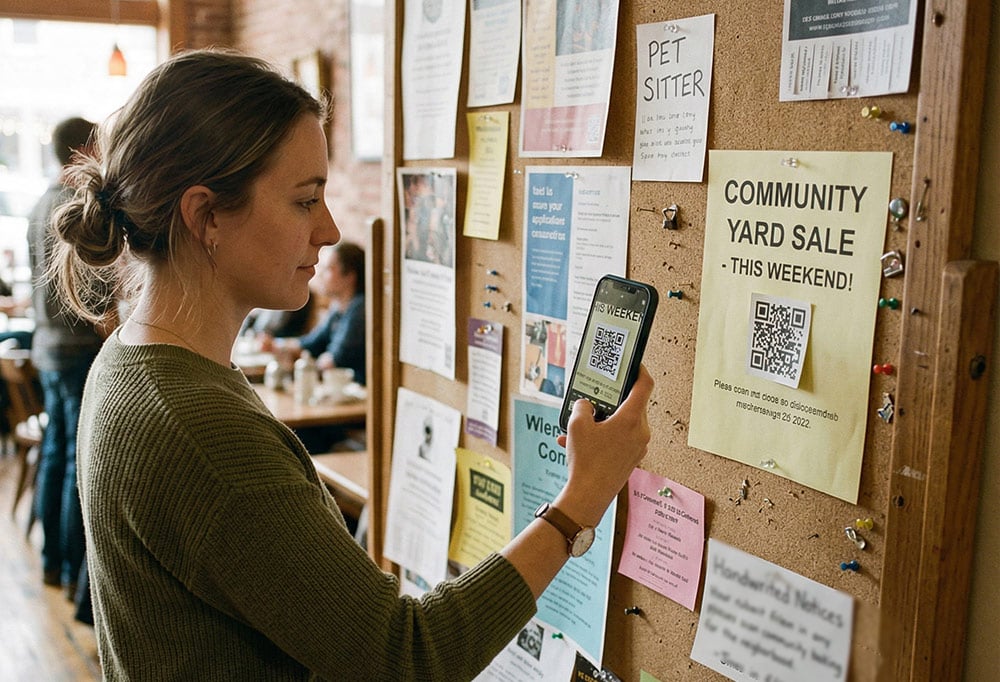
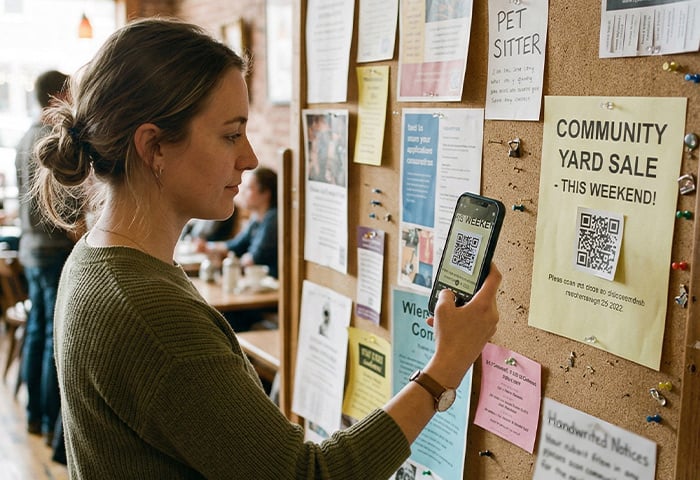
Flyers or posters in public spaces that appear promotional or informational.
-
Stickers placed over legitimate QR codes on parking meters, kiosks, or charging stations.
-
Restaurant menu stands or tabletop displays.
-
Unexpected packages or parcel slips asking you to scan a QR code for delivery updates.
In many cases, the QR code itself doesn’t appear suspicious. Attackers often include branding, logos, or messaging associated with trusted companies — a tactic closely related to spoofing.
Once scanned, a malicious QR code may lead to:
-
Fake login pages designed to steal usernames and passwords.
-
Repeated login prompts intended to capture multi-factor authentication (MFA) codes.
-
Wallet-draining links targeting cryptocurrency or payment apps.
-
Prompts to install malicious apps or APK files, particularly on Android devices.
-
QR codes that automatically connect devices to unsafe Wi-Fi networks.
-
Calendar invite QR codes that add malicious events or links to your schedule.
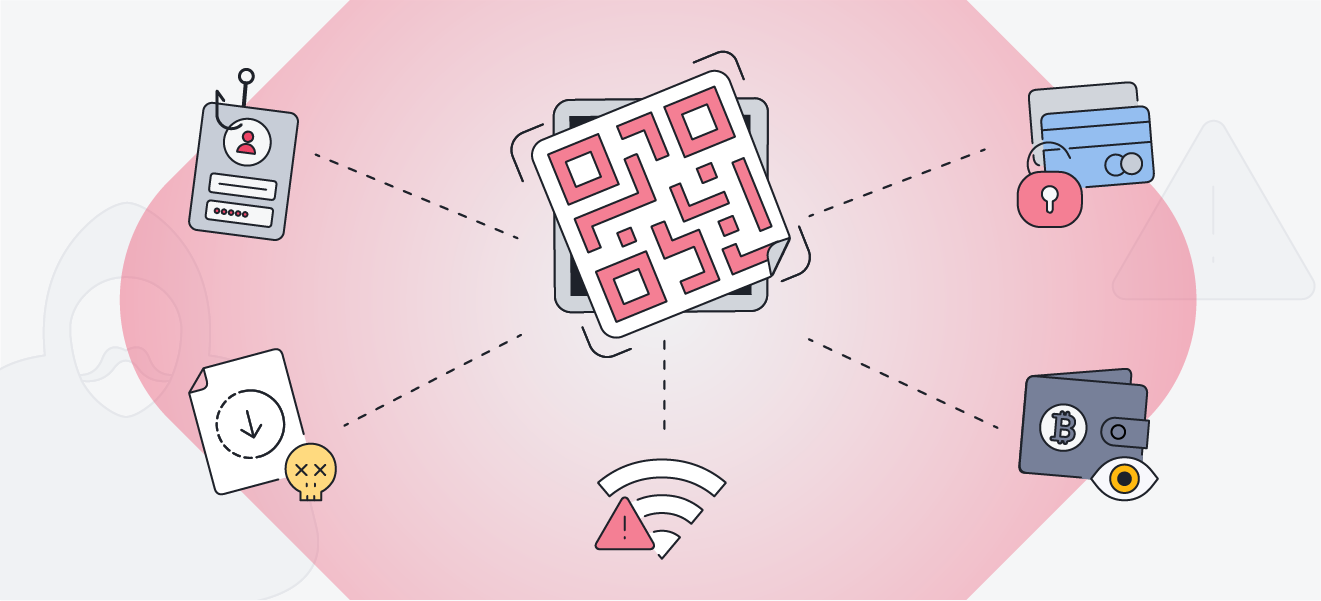
While anyone can fall victim to any of the quishing attack types listed above, quishing scams often target groups more likely to scan QR codes without hesitation. This includes older adults who may be less familiar with QR-based threats, online shoppers expecting delivery updates, travelers relying on QR codes in transit, and professionals who frequently encounter QR codes as part of their work.
How to spot a malicious QR code
Most scam QR code attempts leave clues — you just need to know where to look. Because QR codes hide their destination, it’s important to slow down before scanning, pay attention to the surrounding context, and preview QR links before tapping on them. Signs of urgency, unfamiliar sources, or requests for sensitive information should raise suspicion.
Pause and check for these common quishing warning signs, both before and after scanning:
-
Tampered stickers placed over an existing QR code or peeling at the edges.
-
QR codes in unusual places or added to materials that don’t normally require scanning.
-
Urgent or threatening language like “Pay now,” “Final notice,” or “Account suspended.”
-
Unexpected requests for information, especially logins, payment details, or MFA codes.
-
Suspicious destinations, including misspelled brand names or look-alike domains.
-
Lack of HTTPS or other signs of a valid SSL certificate.
Preview the destination before tapping
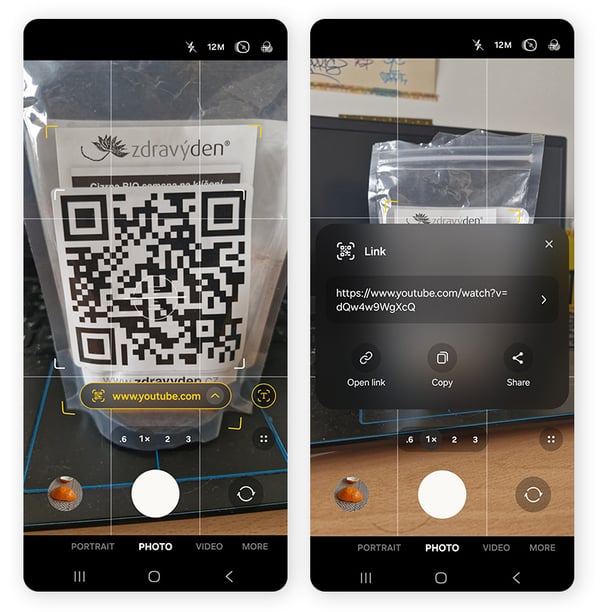
Many smartphones allow you to preview where a QR code leads before opening it. Always check the full domain name, not just the first few words.
-
Android: Open the Camera app and point it at the QR code. A link preview will appear. Tap the arrow or preview to view the full URL before opening it.
-
iOS: The Camera app works similarly. Scan the code and review the previewed link before tapping it
What legitimate QR codes usually look like
Safe QR codes tend to follow predictable patterns. They typically:
-
Link to trusted, recognizable domains.
-
Use clear or branded URLs.
-
Are printed directly on official materials, rather than placed as stickers over existing codes.
If a QR code appears hastily added or pressures you to act immediately, it’s safer not to scan it.
What to do if you scanned a scam QR code
If you think you scanned a malicious QR code, don’t panic. Scanning the code itself usually doesn’t harm your device. The real risk begins if you open the link it reveals, download something, or enter information on the page.
Here’s what to do depending on what happened:
If you only scanned the QR code
If the code simply revealed a link and you did not open it, your risk is very low.
-
Avoid tapping the link.
-
Close the QR scanner or camera app.
-
Delete any saved link preview or notification if one was created.
In most cases, no further action is necessary.
If you opened the link
If the QR code opened a website but you didn’t submit any data:
-
Disconnect from the internet: Close the suspicious page and turn off Wi-Fi or mobile data to prevent further interaction with the site.
-
Run a security scan: Scan your device with reputable security software such as AVG AntiVirus FREE to check for malware or suspicious activity.
-
Avoid further interaction: Do not download files, approve permission requests, or follow additional prompts from the page.
If you entered information or approved access
If you entered login credentials, payment details, verification codes, or granted permissions after scanning the QR code, take additional steps:
-
Change your passwords: Immediately update passwords for any accounts you accessed. Enable two-factor authentication where possible.
-
Review account access: Check for newly connected apps, services, or permissions and revoke anything suspicious.
-
Monitor financial accounts: Watch bank accounts, payment apps, and digital wallets for unauthorized transactions or other signs of identity theft. Contact your bank immediately if anything looks unusual.
-
Report the incident: Report the scam to the organization being impersonated or to relevant consumer protection or cybersecurity authorities in your region.
How to prevent quishing
Preventing quishing begins with caution and verification. Before scanning any QR code, take a moment to check whether it appears tampered with, misplaced, or added as a sticker over another code. Be especially careful with QR codes that appear unexpectedly or pressure you to act quickly.
For any QR codes you do scan, always verify the destination before interacting with a page. Preview the URL and confirm it belongs to the organization you expect. Misspellings, unfamiliar domains, or extra characters are common warning signs. If a QR code requests login credentials, payment information, or other personal data, it’s safer to leave the page and access the service directly through its official website or app.
It’s also a good idea to limit what QR codes permissions on your device. Avoid installing apps, downloading files, or granting permissions after scanning a code. Legitimate services will direct you to official app stores rather than distributing software through QR links.
A password manager can provide an additional layer of protection. These tools only autofill credentials on verified domains, making suspicious websites easier to detect. Keeping your operating system, apps, and security software updated also helps reduce exposure by patching vulnerabilities attackers may exploit.
Protect against QR code scams with AVG
As quishing attacks become more common, caution alone may not be enough. AVG AntiVirus FREE adds an extra layer of defense by scanning links in real time and blocking access to known malicious websites — including those reached through QR codes. Get built-in phishing protection, malware detection, and real-time threat monitoring for free today.
To help determine whether a QR code is safe to scan, use your device’s Camera app to preview the destination URL before opening it. Check for misspellings, unusual domains, or unexpected redirects. Be cautious of QR codes that create urgency or request sensitive information such as login credentials or payment details.
No, many QR codes are legitimate and widely used for menus, payments, and information sharing. Risks arise when QR codes are tampered with, unauthorized, or used to request sensitive information without a clear and legitimate purpose.
They can be, but it’s wise to verify with staff if you’re unsure. Be cautious if a QR code redirects you to unexpected login or payment pages. Also watch for stickers or overlays that appear to cover an official QR code.
Organizations can reduce risk by training employees to recognize quishing attacks, encouraging staff to verify QR codes through official channels, and running regular security awareness exercises so teams understand how QR phishing scams work.



.png)
.png)








/Signal-What-is-SQL-injection-Thumb.jpg)
/What-is-a-browser-hijacker-and-how-to-remove-them-Thumb.jpg)