
Enjoy more private and secure browsing with VPN for iOS
AVG Secure VPN makes your online activity and personal data more private and safe. You can also access content from over 100 global server locations. Try VPN for iOS today.
Try it free for 60 days


Why do I need a VPN on my iPhone?

For safer Wi-Fi
Securing public Wi-Fi is essential when you’re on the go: browsing, banking, shopping, and chatting on your phone, safely from anywhere.

For improved online privacy
A VPN encrypts your connection, making your activity harder to see or track, even for hackers, internet service providers (ISPs), or nearby nosy neighbors.

For better access to global content
Pick from a list of international servers to access more content without location limits getting in the way.
What’s a VPN (Virtual Private Network)?
Download the perfect VPN for iPhone and iPad

An easy-to-use VPN app that looks good
Download, install, and connect securely with one click. Intuitively designed with simplicity in mind.

Bank-level security encryption
Your data is protected with 256-bit AES encryption, the kind trusted by banks.

More than 100 locations to pick from and growing
Our streaming-optimized servers help you keep up with your favorite shows on the go.


30-day money-back guarantee
Try it first, and if you’re not convinced, get your money back. No strings attached, no questions asked.
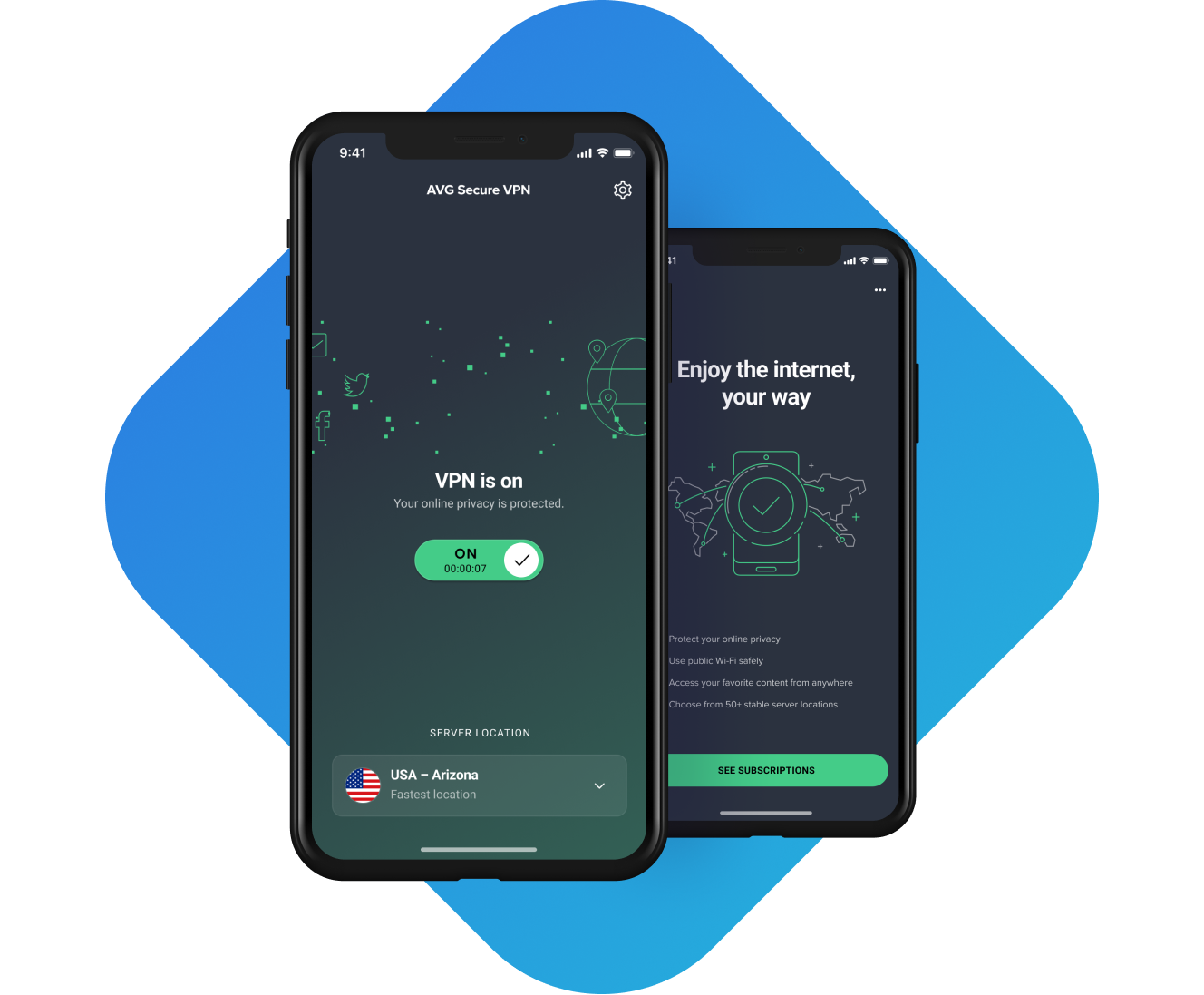
See how easy it is to use AVG Secure VPN for iOS

Connect your iOS
device to Wi-Fi

Tap your Secure
VPN toggle to ON
Browse anonymously
and securely
How to install AVG Secure VPN for iOS
- On your iOS device, go to the AVG Secure VPN product page in the App Store.
- Tap Get to download and install the app. When installation is complete, tap Open to open AVG Secure VPN.
- Follow on-screen application instructions.
For more detailed instructions, please go to our installation support page.
Usage
For personal and family use only. Not for business or commercial use.
System requirements
-
 Phones or iPads running the current and previous two versions of Apple iOS
Languages
For Windows: Chinese (simplified), Chinese (traditional), Czech, Danish, Dutch, English, French, German, Hungarian, Indonesian, Italian, Japanese, Korean, Malay, Polish, Portuguese (Brazil), Portuguese (Portugal), Russian, Serbian, Slovak, Spanish, and Turkish.
For Mac: English, Bulgarian, Chinese (Simplified), Chinese (Traditional), Czech, Danish, Dutch, Finnish, French, German, Greek, Hungarian, Italian, Japanese, Korean, Norwegian, Polish, Portuguese, Russian, Spanish, Swedish, Slovak, Thai, Turkish, Vietnamese
For Android: Arabic, Chinese (simplified), Chinese (traditional), Czech, Danish, Dutch, English, Finnish, French, German, Greek, Hebrew, Hindi, Hungarian, Indonesian, Italian, Japanese, Korean, Malay, Norwegian, Polish, Portuguese (Brazil), Portuguese (Portugal), Russian, Serbian, Slovak, Spanish, Swedish, Thai, Turkish, Ukrainian, and Vietnamese.
Frequently Asked Questions
Why do I need a VPN on my iPhone?
If you want private browsing while on the go, then yes, you need a VPN for your iPhone or iPad. A VPN encrypts your internet connection to protect your data and enables you to browse safely on public Wi-Fi. Plus, a VPN can help manage other smartphone privacy concerns — it prevents anyone from seeing what you’re doing online, and it’ll also hide your IP address behind a new one. The benefits of using a VPN also include the ability to unblock websites and access your favorite content. Discover all the benefits of AVG Secure VPN for iOS with our 14-day free trial.
Does iOS have a built-in VPN?
The closest thing to this is Apple’s iCloud Private Relay, which helps to protect your privacy online by stopping others from seeing what websites you’re visiting and who you are. However, you likely want more comprehensive privacy and security that isn’t just limited to Apple’s Safari browser among other things. This is where our VPN app for iOS, AVG Secure VPN, can do a lot more for your device.
How do I set up a VPN on an iOS device?
We have useful information on how to set up a VPN on an iPhone or iOS device. In the meantime, here's how to set up AVG Secure VPN on an iPhone:
- Download the AVG Secure VPN app from the App Store and install it on your iPhone.
- Launch the app and create an account if you don't already have one.
- Choose a server location from the list of available locations and tap the Connect button. This will establish a secure VPN connection.
- Once you're connected to the VPN, you can start using the internet on your iPhone as you normally would. You’ll encrypt all your internet traffic by routing it through the VPN server.
Is AVG Secure VPN free for iOS?
You can try our VPN for iOS devices via our 14-day free trial. We only charge you if you choose not to cancel your subscription before the trial ends.
Does AVG Secure VPN work on iPads, too?
Yes, AVG Secure VPN is compatible with all iOS devices, including iPads. Setting up a VPN on your iPad is exactly the same as doing so on an iPhone.
Are free iPhone VPN apps safe?
Buying a VPN from a recognizable brand with a good reputation is the simplest way to get hold of a safe VPN for an iOS device. AVG Secure VPN includes bank-grade security and privacy encryption, and you can even try before you buy for free thanks to our 14-day free trial.
Is iCloud+ Private Relay a VPN?
Both VPN apps and Apple’s iCloud Private Relay share similar benefits. They hide your IP address and encrypt your connection, but that’s probably where the similarities end. Apple do not describe their new technology as a VPN on their support pages, and they’ve built the software specifically to work with their Safari web browser on iOS devices like iPhones and iPads. By contrast, AVG Secure VPN for iOS keeps your web traffic private and secure across all your iOS web browsers while hiding your IP address.
Does using a VPN slow down your iPhone's internet connection?
Using a VPN on any type of device means that you’re routing your device’s internet connection through the VPN server and encrypting your data. It’s possible for both these things to slow down your iPhone’s internet connection but even the fastest VPNs can mildly slow your speed.
Get privacy tips, straight from the VPN experts

How to Change Your Location on an iPhone Using VPNs, Apps, and More
Want to hide or change your location on iPhone? We have six tested ways to spoof your iPhone location in this helpful guide.

iPhone or iPad Running Slow? 16 Ways to Speed It Up
Is your iPhone running slow? Find out why your iPhone is so slow and learn how to speed up your iPhone in our guide.

How to Turn Off Location Services on iPhone
Your digital privacy is critical on all devices. Learn how to turn off location on your iPhone to prevent people or applications from tracking you.

The Best VPN Server Countries to Connect Through
The best VPN server country depends on your specific online needs. Find out how to pick the best VPN location to connect to the internet.

How to Find My IP Address on Any Device
Learn how to find your public IP address using your router, command prompt, or other method on a phone, Windows PC, or Mac.

YouTube Unblocked: 11 Ways to Access Blocked Videos
Want to watch a YouTube video but realize that it's blocked? Find out why, and how to unblock YouTube content in our guide.

What Is a VPN and What Does It Do?
Learn what VPN stands for, what a VPN is, and what it does in our guide. Explore why you need one and how to use a VPN.

Why Does My iPhone Get Hot & How to Stop It Overheating
Find out why your iPhone is getting hot and how to cool it down with AVG's tips to avoid iPhone overheating.
Download AVG Secure VPN for iOS
Try our VPN service for free on your iOS device! Keep your Wi-Fi secured anywhere and enjoy unrestricted access.
Try it free for 60 days
 30-day money-back guarantee


