

Stay more private and secure online with VPN for Android
AVG Secure VPN adds extra privacy and security to your online activity and personal data. It also lets you access region-restricted content from over 100 global server locations. Try our Android VPN today.
Try it free for 60 days


Why do you need a VPN for your Android?

For safer Wi-Fi
Securing public Wi-Fi is essential when you’re on the go: browsing, banking, shopping, and chatting on your phone, safely from anywhere.

For improved online privacy
A VPN encrypts your connection, making your activity harder to see or track, even for hackers, internet service providers (ISPs), or nearby nosy neighbors.

For better access to global content
Pick from a list of international servers to access more content without location limits getting in the way.
Download the perfect VPN for Android

Simple and powerful Android smartphone and tablet app
Just download, install, and connect securely with one tap. No messing with settings required.

Bank-level security encryption
Your data is protected with 256-bit AES encryption, the kind trusted by banks.

More than 100 locations to pick from and growing
Our streaming-optimized servers help you keep up with your favorite shows on the go.


30-day money-back guarantee
Try it first, and if you’re not convinced, get your money back. No strings attached, no questions asked.
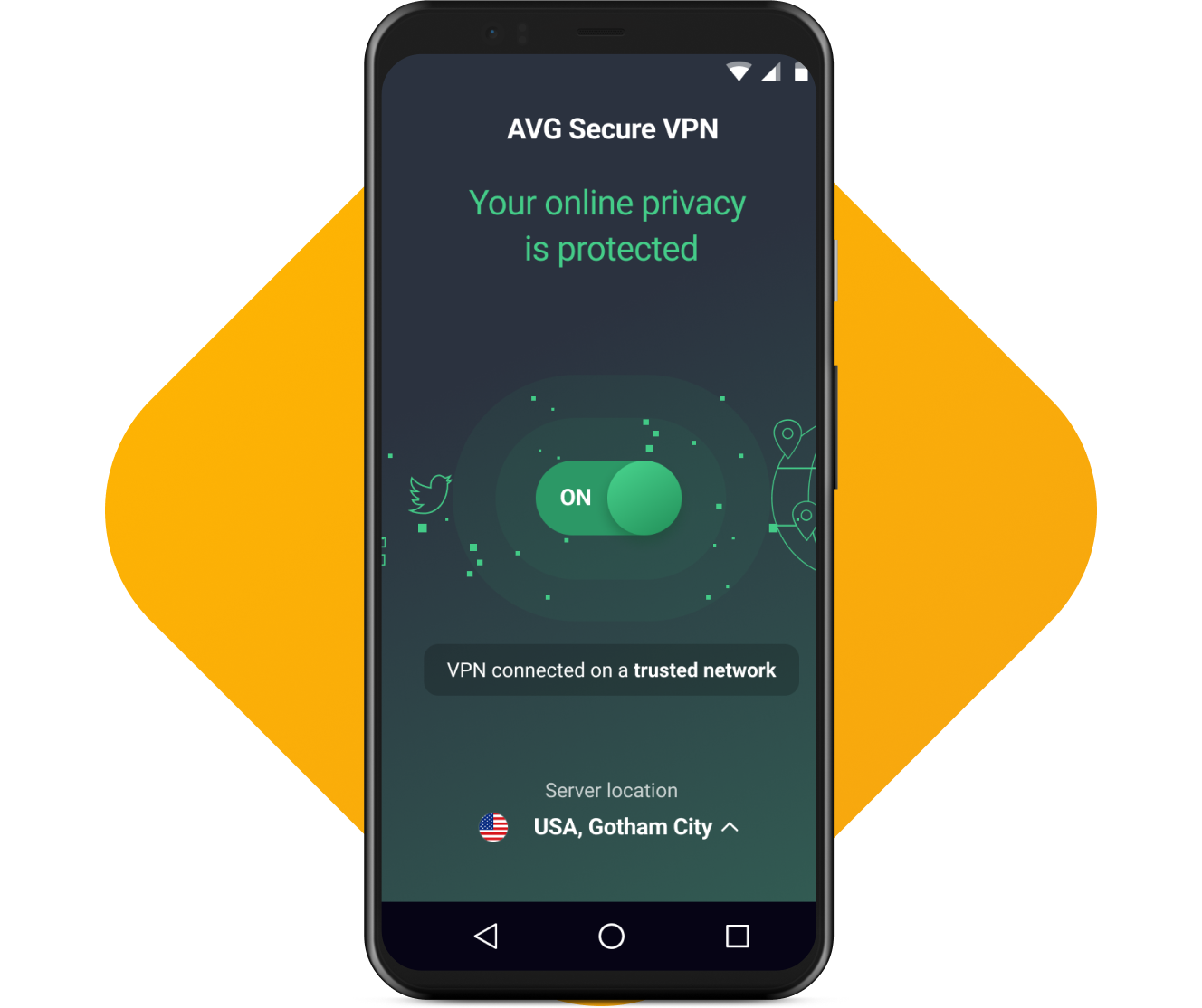
It works in 3 easy steps

Connect your Android to Wi-Fi
Connect your Android device to Wi-Fi

Tap your Secure
VPN toggle to ON
Tap your Secure VPN toggle to ON
Browse anonymously
and securely
Browse anonymously and securely
How to install AVG Secure VPN for Android
- On your Android device, go to Google Play Store to download AVG Secure VPN.
- When installation is complete, tap Open to open AVG Secure VPN.
- Follow the on-screen application instructions.
For more detailed instructions, please go to our installation support page.
Usage
For personal and family use only. Not for business or commercial use.
System requirements
-
 Android 10.0 or later (must have Google Play app installed)
Languages
For Windows: Chinese (simplified), Chinese (traditional), Czech, Danish, Dutch, English, French, German, Hungarian, Indonesian, Italian, Japanese, Korean, Malay, Polish, Portuguese (Brazil), Portuguese (Portugal), Russian, Serbian, Slovak, Spanish, and Turkish.
For Mac: English, Bulgarian, Chinese (Simplified), Chinese (Traditional), Czech, Danish, Dutch, Finnish, French, German, Greek, Hungarian, Italian, Japanese, Korean, Norwegian, Polish, Portuguese, Russian, Spanish, Swedish, Slovak, Thai, Turkish, Vietnamese
For Android: Arabic, Chinese (simplified), Chinese (traditional), Czech, Danish, Dutch, English, Finnish, French, German, Greek, Hebrew, Hindi, Hungarian, Indonesian, Italian, Japanese, Korean, Malay, Norwegian, Polish, Portuguese (Brazil), Portuguese (Portugal), Russian, Serbian, Slovak, Spanish, Swedish, Thai, Turkish, Ukrainian, and Vietnamese.
FAQ
What is an Android VPN?
A VPN for Android is a tool that secures your internet connection and protects your online privacy if you have a Android smartphone or tablet. AVG Secure VPN uses bank-level security encryption to hide your online activities from your internet service provider (ISP) and conceals sensitive data like card or payment information from hackers and cybercriminals. You can also access geo-restricted online content via 50+ worldwide server locations.
How do I set up AVG Secure VPN for Android?
Setting up AVG Secure VPN just takes three simple steps.
- Download AVG secure VPN for Android from the Google Play Store.
- Install the app your device.
- Open the app and follow the on-screen instructions.
Does Android have a built-in VPN?
Android devices have an in-built VPN client, but this requires complex configuration. You’re likely to save yourself a lot of time, effort, and uncertainty by downloading a dedicated Android VPN app with a simple, easy-to-use interface instead. AVG Secure VPN can help you. Hide your online activity, keep your sensitive data safe, and more.
Is AVG Secure VPN for Android free?
Yes, we offer a free VPN for Android in terms of a 7-day free trial period for our paid app. This allows you to try AVG Secure VPN’s full capabilities for Android before you buy. Conceal your online activity and sensitive data like payment information with bank-grade encryption. Plus, you can watch your favorite geo-restricted content via 50+ global server locations.
How do I turn on VPN on Android?
- Open the AVG Secure VPN for Android app.
- On the main screen, tap the red-colored (OFF) slider to change it to the green-colored (ON) position.
- If a pop-up message asks for your permission to set up a VPN connection, tap OK when you’re ready.
- If a message gives you the option to connect automatically, tap ACTIVATE AUTO CONNECT to select this option. Tapping the X icon returns you to the main app menu.
You can change your auto connection preferences whenever you like by accessing the app settings. If you’d like to find out more, please check out Enabling auto-connect in AVG Secure VPN.
What devices can I use an Android VPN on?
You can use an Android VPN on smartphones and tablets running the same operating system, and this also includes computers running ChromeOS or smart TVs using the Android TV OS too.
Does AVG collect logs?
We don’t send data to our servers concerning your originating IP address, browsing history, and more. For further details about product functionality and data use, please see our VPN policy.
What is the iOXt Alliance?
The iOXt Alliance is a collaboration of technology companies and industry leaders with the aim of making sure that Internet of Things (IoT) devices stay secure and safe to use. They create rules and tests to check if these devices meet specific security requirements, doing so to make sure that people can trust IoT devices. You can enjoy the peace of mind that AVG Secure VPN for Android is a iOXt certified product.
Get privacy tips, straight from the VPN experts

The Best VPN Server Countries to Connect Through
The best VPN server country depends on your specific online needs. Find out how to pick the best VPN location to connect to the internet.

How to Find My IP Address on Any Device
Learn how to find your public IP address using your router, command prompt, or other method on a phone, Windows PC, or Mac.

What Is a VPN and What Does It Do?
Learn what VPN stands for, what a VPN is, and what it does in our guide. Explore why you need one and how to use a VPN.

YouTube Unblocked: 11 Ways to Access Blocked Videos
Want to watch a YouTube video but realize that it's blocked? Find out why, and how to unblock YouTube content in our guide.

How to Fix Crashing Apps on Android and Why It Happens
Why do apps keep freezing on your phone? Learn how to fix crashing apps on Android and stop Android apps from closing.

Why Won’t My Android Phone Connect to Wi-Fi and How To Fix It?
Wondering why your Android phone won’t connect to Wi-Fi? Troubleshoot your device and learn how to fix connection issues.
AVG Secure VPN for Android
Get true online privacy for your PC, Mac, or mobile
Try it free for 60 days
 30-day money-back guarantee


