


AVG Internet Security
Get advanced protection against scam websites, hackers, and viruses
Get award-winning antivirus technology. Keep yourself safer against online scams. Help keep hackers away from your sensitive data, and much more. Do it all with AVG Internet Security.

2023
VB100
January 2024
Best Protection
Give it a try
Get 30 days of PC protection for free
Also available for Mac

30-day money-back guarantee
Join millions of others and get AVG Internet Security to help.

Stop viruses and malware

Block scam sites and emails

Protect yourself from identity theft

Make online payments safely
Keeping you safer from viruses comes first
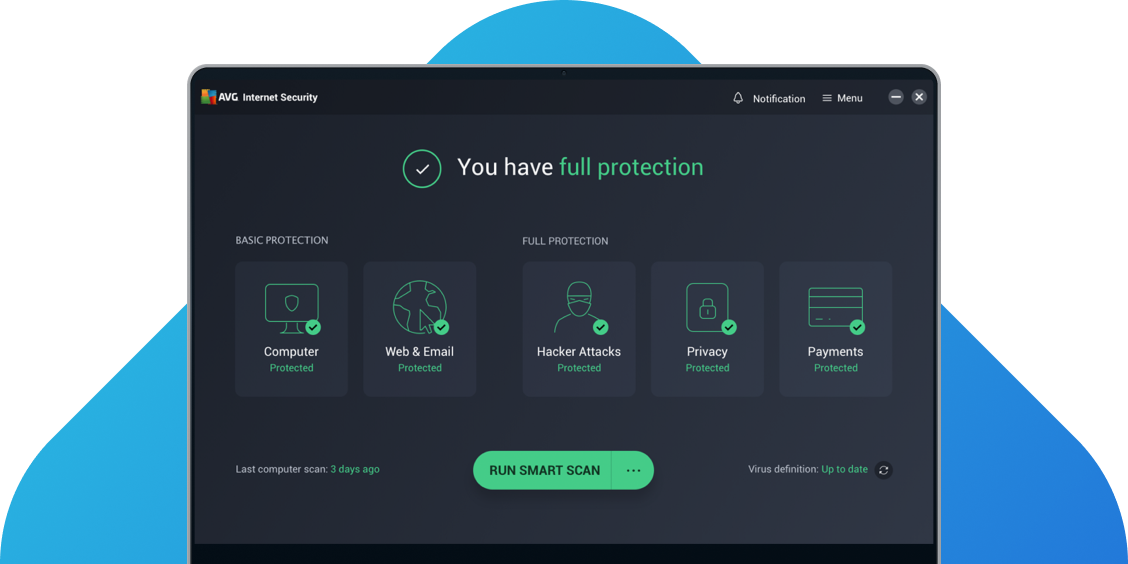
AVG Internet Security’s proactive AI technology stays on lookout for parts of viruses and malware. This helps make your PC more resilient against future cyberthreats. Scan your PC for viruses, ransomware, spyware, hidden digital threats in apps, and more.
We also help protect you from scams and more
 AntiVirus FREE
|
Internet Security
|
|
|---|---|---|
|
Stay safe against cyberthreats
Block viruses, spyware, ransomware, and other malware in real time.
|
 |
|
|
Block online-based malware
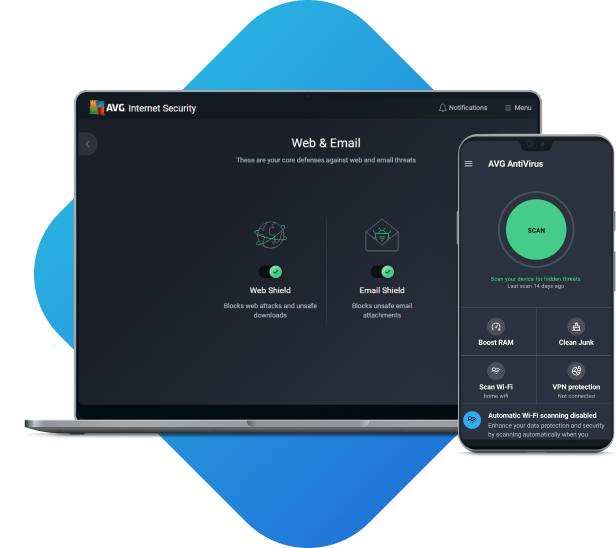
Stop unsafe links, downloads, and email attachments.
|
|
|
|
Find and resolve PC performance issues
Fix unnecessary junk files, apps, or settings that impact your PC.
|
|
|
|
Get automatic software updates
Get automatic updates for your AVG security app in real time.
|
|
|
|
Keep yourself safe from website scams
Avoid fake, malicious, and scam websites for safer online living.
|
 |
|
|
Defend yourself from hackers
Stop them from accessing your sensitive personal data with our advanced firewall.
|
|
|
|
Get 24/7 customer support
Get help with your AVG app or service from our experts.
|
|
|
AVG Internet Security
Defend yourself against online scams, viruses, and identity theft
AVG Internet Security helps you keep safer from fake scam websites and viruses. It also helps you protect your personal files and passwords from potential identity theft. Plus, it supports your efforts to shop and bank online more safely.
Online scam protection
Pay for things online with greater safety and more

Avoid scam websites that could steal your money
Help stop cybercriminals from redirecting you to fake websites from real ones so they can steal payment card details, passwords, and more.

Keep hackers out of your world
Keep cybercriminals away from your private files with our advanced firewall. Plus, secure these files so they can’t hold them to ransom. We also block untrusted apps from using your webcam.

Guard against unsafe Wi-Fi
Act faster to protect what data you could be sharing on an unsecured network by getting alerts about unsecured Wi-Fi.
Antivirus protection
Boost your PC’s cybersecurity in 5 ways

Use forward-thinking AI to help throw off malware
Our software detects parts of viruses and malware to help future-proof your protection against both.

Automatically block and analyze possible digital threats
Stop cyberthreats and automatically upload them for further investigation.

Find potential malware hidden in apps
Be notified if we find odd software activity on your PC, which may indicate malware.

Detect different kinds of malware and help stop them
Find and deal with ransomware, spyware, viruses, and more.

Protect your PC against unsafe emails, website links, and downloads
Block files and links that could infect your computer with malware or cause you to become a victim of a phishing attack.
Internet security and identity protection
Help protect your online world and identity

Defend passwords from suspicious apps
Prevent blocked apps from viewing info about the passwords you store in your web browsers.

Get alerts about leaked passwords
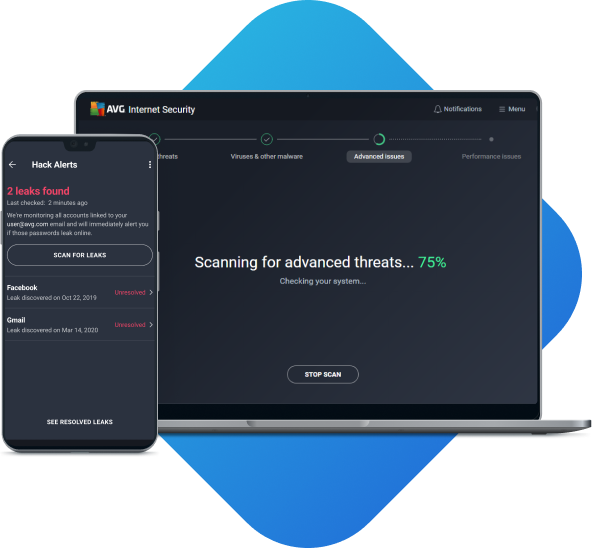
If a password for one of your email accounts leaks, we alert you so you can take action fast.

Permanently delete data you never want recovered
Stop unauthorized access to sensitive information by securely deleting specific files and data forever.
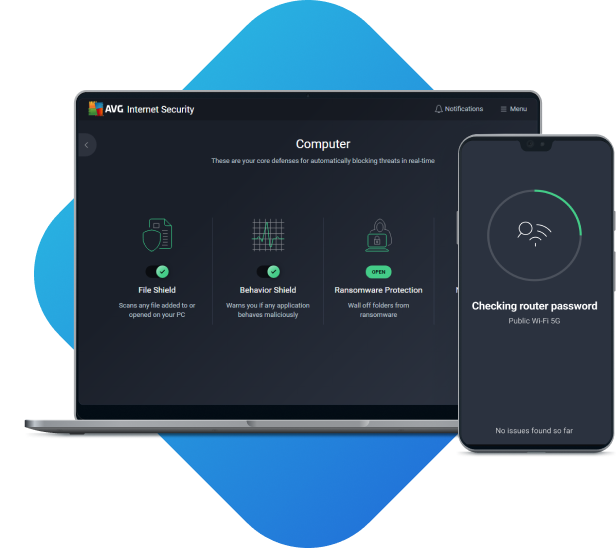
AVG Internet Security
Protect all your personal devices with the best security AVG has to offer
Give it a try
Get 30 days of PC protection for free
World-class protection
We’ve won hundreds of awards since we began in 1991, and over 25 in the last two years alone. With top marks for "real world" protection and performance, you know you’re in safe hands.

2023
VB100
January 2024
Best Protection

2022
Advanced Endpoint
Protection Test

Usage
For personal and family use only. Not for business or commercial use.
System Requirements

PC with Windows 11, Windows 10, 8.1, 8 or 7 (both the 32 and 64-bit versions, excluding Starter and RT editions), 4 GB RAM and 2 GB of hard disk space. ARM chips Windows 11 only.

MacOS 10.11 (El Capitan) or above

Android 8.0 or above

iOS 14.0 or above
Languages
For Windows: Chinese (simplified), Chinese (traditional), Czech, Danish, Dutch, English, French, German, Hungarian, Indonesian, Italian, Japanese, Korean, Malay, Polish, Portuguese (Brazil), Portuguese (Portugal), Russian, Serbian, Slovak, Spanish, and Turkish.
For Mac: English only.
For iOS: English, Czech, Dutch, French, German, Italian, Japanese, Portuguese (Brazil), Portuguese (portugal), Russian, Spanish.
For Android: Arabic, Chinese (simplified), Chinese (traditional), Czech, Danish, Dutch, English, Finnish, French, German, Greek, Hebrew, Hindi, Hungarian, Indonesian, Italian, Japanese, Korean, Malay, Norwegian, Polish, Portuguese (Brazil), Portuguese (Portugal), Russian, Serbian, Slovak, Spanish, Swedish, Thai, Turkish, Ukrainian, and Vietnamese.
FAQs
How does AVG Internet Security enhance your online safety?
AVG Internet Security enhances our powerful, free antivirus protection with advanced features and options to provide you with additional layers of online safety. Along with our world-class antivirus security, you'll get:
- Webcam protection to prevent anyone from accessing your webcam without your permission.
- An Enhanced Firewall that secures your entire network to prevent anyone from gaining unwanted access.
- Protection from fake websites to keep you from accidentally getting scammed by phishing and pharming websites while banking or shopping online.
Experience the enhanced protections of AVG Internet Security today with a free trial.
Why choose AVG Internet Security over free antivirus?
Any antivirus protection is better than none, and with AVG AntiVirus FREE, you'll get protection against all types of malware — including free ransomware protection — as well as unsafe links, downloads, and emails. For even stronger security, go with the additional protections in AVG Internet Security. You'll get an Enhanced Firewall to keep hackers out of your home network, webcam security to defend against spies, and comprehensive protection against dangerous pharming websites to stay safe while shopping online.
Experience all AVG Internet Security has to offer for free with our free trial.
What is the difference between AVG Internet Security and AVG Ultimate?
AVG Ultimate is our 3-in-1 bundle that includes all our most popular, premium services at a discounted price. It contains AVG Secure VPN, a robust privacy tool, AVG TuneUp, our performance-enhancing software, and AVG Internet Security, our top-tier online security suite. So, AVG Ultimate includes AVG Internet Security, but you can also get AVG Internet Security by itself.
Do I need to uninstall AVG AntiVirus Free before upgrading to AVG Internet Security?
No, you don't need to uninstall and reinstall AVG AntiVirus Free if you upgrade to AVG Internet Security. Once you purchase AVG Internet Security, you'll get a product code that you can enter into your existing AVG AntiVirus Free subscription, and it will automatically upgrade to a premium antivirus subscription. It's that simple.
Get expert security tips and advice

Fake Virus Warnings: How to Spot and Avoid Them
Concerned about fake virus alerts? Learn how to detect fake virus warning pages and pop-up malware and avoid a real attack.

Password Cracking Techniques Hackers Use and How to Avoid Them
Learn about the top password cracking and hacking techniques. Find out how to avoid password crackers and hackers to keep your data safe.

What to Do If Your Instagram Account Is Hacked
Has your Instagram been hacked or deleted? Learn how Instagram accounts get hacked and how to recover a hacked Instagram account.

How to Scan and Remove Malware From Your Router
Did you know that your router may be vulnerable to malware? Learn how to scan and remove malware from your router with our expert guide.

Malware And Virus Statistics 2024: The Trends You Need to Know About
Which cybersecurity threats are on the rise? Read about the latest cybersecurity threats statistics for the first half of 2024.

Cobalt Strike Ransomware: What Is It and How to Remove It
What is a Cobalt Strike ransomware attack and how can it be prevented? Learn how it’s used and how to identify it.

Is Your PayPal Hacked? Signs of a Compromised Account and What to Do Next
Find out how to know if your PayPal account has been hacked and what to do to protect your bank account and get a refund.


Need help choosing the best protection?
Yes please
(from Google Play) (from Google Play) (from Google Play) Back


AVG is part of Gen - a global company with a family of trusted brands.
Copyright © 2026 Gen Digital Inc. All rights reserved. Gen trademarks or registered trademarks are property of Gen Digital Inc. or its affiliates. Firefox is a trademark of Mozilla Foundation. Android, Google Chrome, Google Play and the Google Play logo are trademarks of Google, LLC. Mac, iPhone, iPad, Apple and the Apple logo are trademarks of Apple Inc., registered in the U.S. and other countries. App Store is a service mark of Apple Inc. Alexa and all related logos are trademarks of Amazon.com, Inc. or its affiliates. Microsoft and the Window logo are trademarks of Microsoft Corporation in the U.S. and other countries. The Android robot is reproduced or modified from work created and shared by Google and used according to terms described in the Creative Commons 3.0 Attribution License. Other names may be trademarks of their respective owners.
About Gen |
Newsroom |
Careers |
Legal |
Privacy |
Security |
Accessibility |
Cookie Settings |
Your Privacy Choices